Design game levels.
Fast, offline, yours.
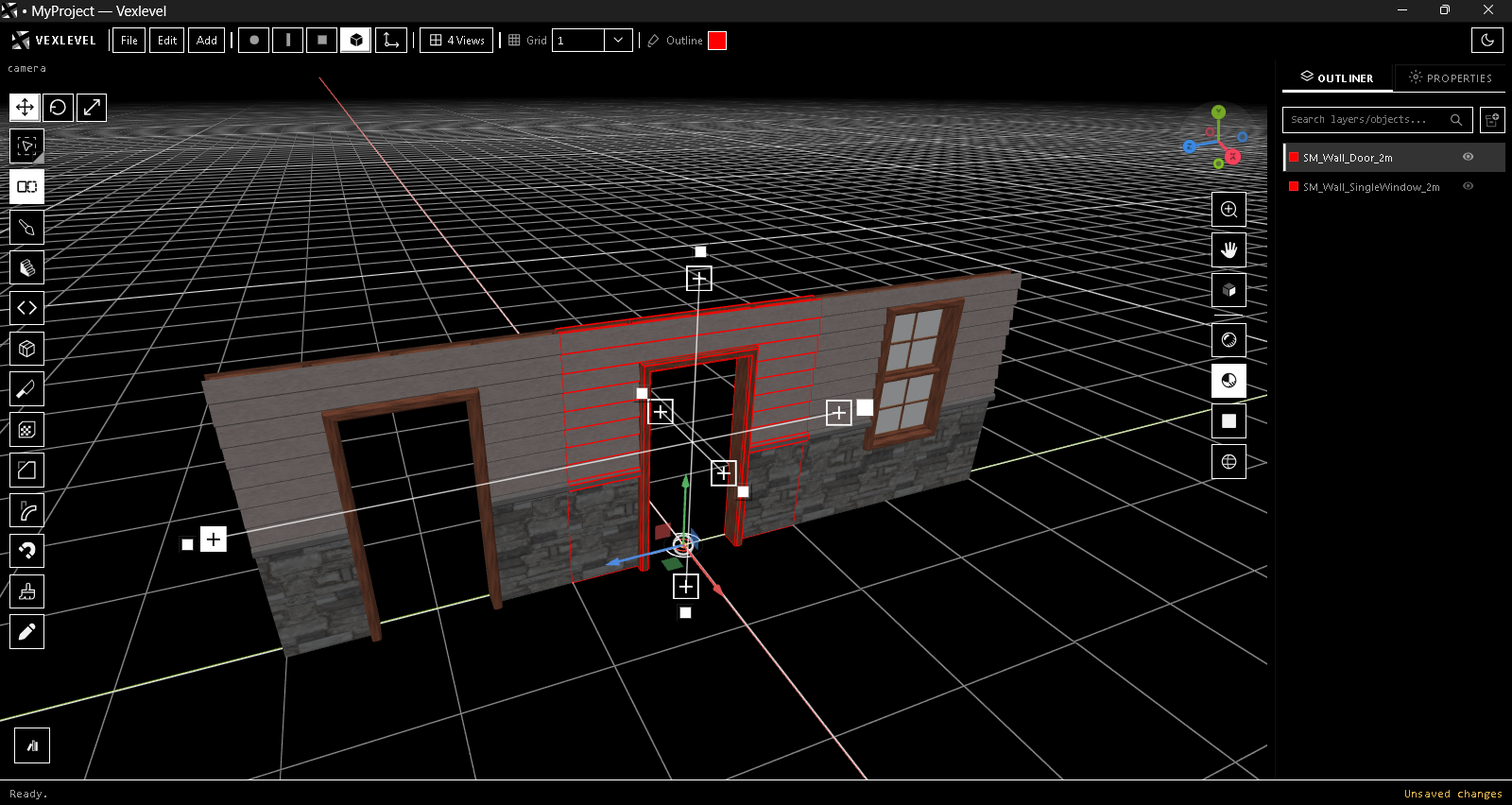
A 3D level editor built for speed: draw walls and stairs on the ground, cut real door and window openings, script whole buildings in Python, and sync straight into Godot.
Features
Everything you need to block out a level
Minimal interface, direct tools. Draw it, cut it, script it, export it.
Draw to build
Create Brush and Stairs: drag on the ground for size, hold Alt for height, press Ctrl to chain connected walls.
Mesh tools
Loop Cut & Slide, Knife, Bevel, Bend, Inset, Magnet brush and booleans (Add, Subtract, Intersect, Clip).
Python Builder
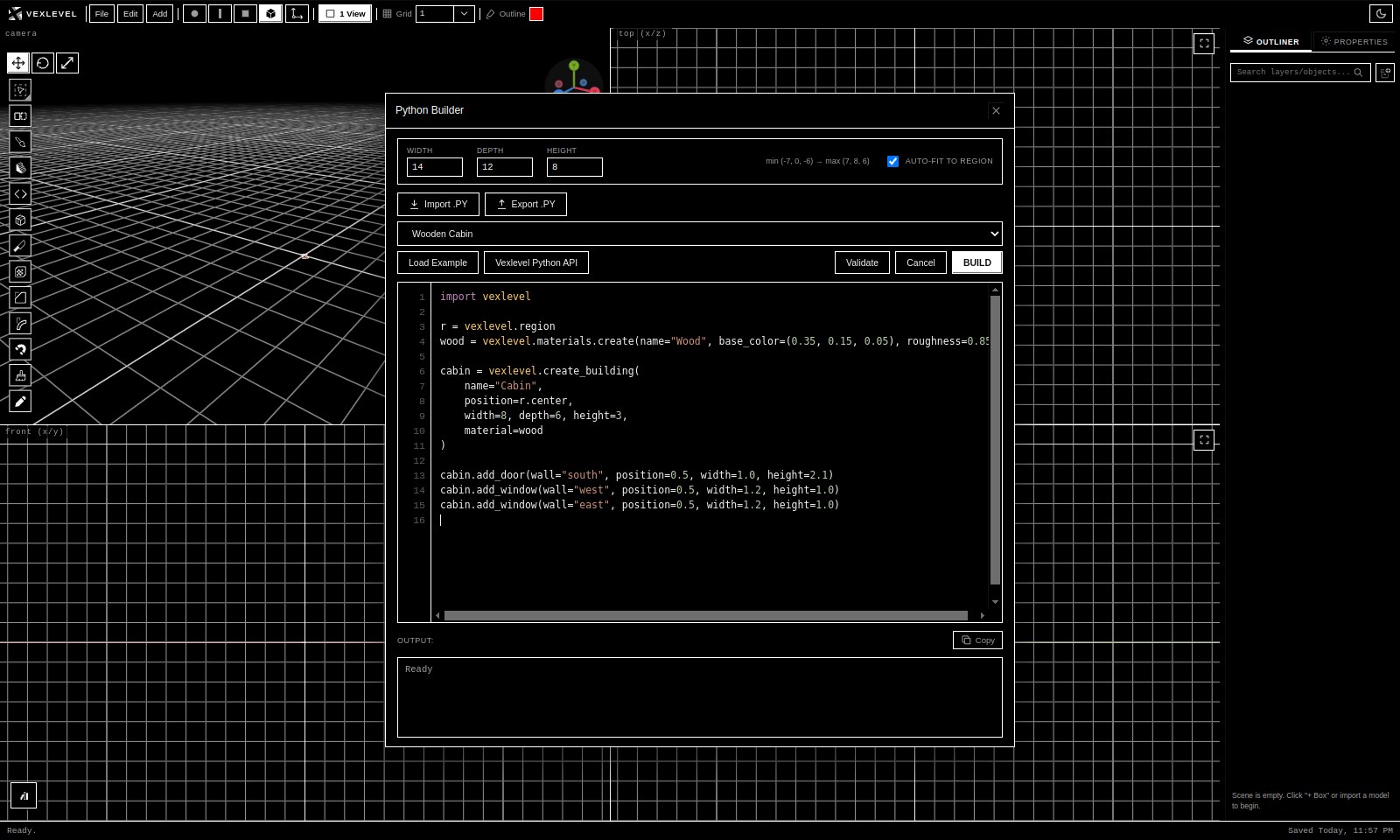
Script rooms, houses and whole city blocks. Ten built-in examples and a full API, running offline in the app.
Doors & windows
Drop a model on a wall and get a real opening in the geometry, with arches, circles and custom shapes.
Array, Scatter, Paint
Stamp edge-to-edge copies, scatter models over surfaces, paint colors and textures, place decals.
Godot Live Sync
Link a .glb in your Godot project. Every save updates it, and unchanged scenes are never rewritten.
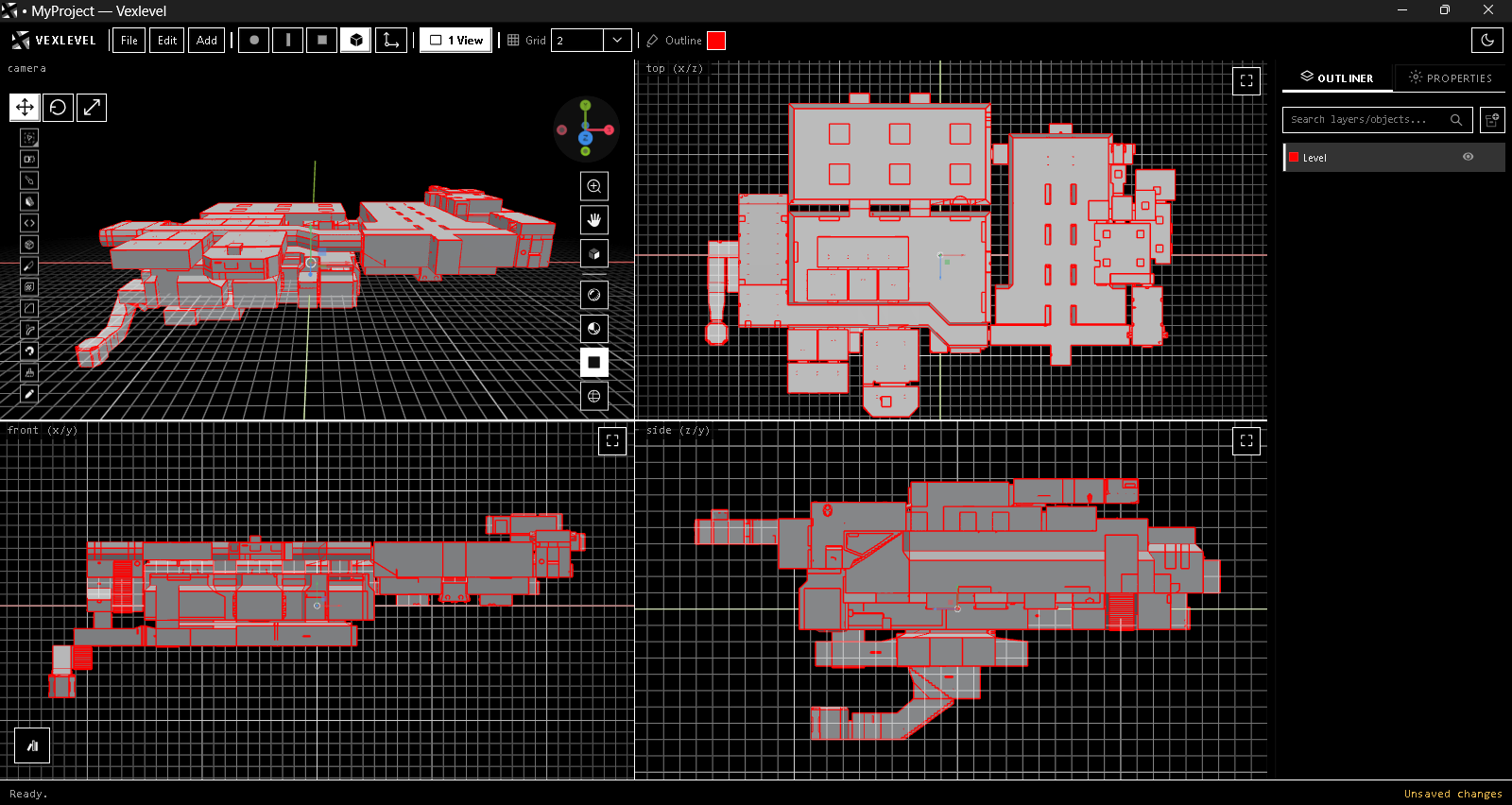
Four-view layout
Perspective plus Top, Front and Side panes with Rendered, Material, Solid and Wireframe shading.
Import & export
Import OBJ, FBX, glTF/GLB and .map. Export OBJ, glTF, GLB and FBX. Textures from PNG and JPG.
Offline by design
No account, no cloud, no telemetry. Your projects are plain .vex files on your disk.
Python Builder
Describe it, then build it
Drag a region on the ground, write a few lines, press BUILD. One run is one undo step.
- Rooms, buildings, roofs, spiral stairs, arrays along paths
- Materials, collections, GPU instancing and seeded randomness
- Validate before you build; clear errors with function names
Workflow
Four panes, one project file
Work in perspective and orthographic views together. Save once; every later save is silent. Double-click any .vex file to open it.
- Layers with hide, solo and lock
- Asset and Texture libraries stored inside the project
- Autosave recovery after a crash
Buy
Own VEXLEVEL
One payment, no subscription. Pay with PayPal, download the program and activate it for your computer. Your projects are plain .vex files that stay yours.
- Every tool and export format
- No time limit, works fully offline
- Single .exe, no installer
- Windows 10 / 11, 64-bit
- Licensed to your computer
Secure checkout on itch.io.
Already paid? Get your license file
Request your license →Download VEXLEVEL first to get your device code.
About 90 MB. Windows may show a SmartScreen notice because the file is not code-signed: choose More info, then Run anyway. The program only runs with a license made for your computer.
Documentation
User guide
An illustrated guide to every tool, menu and keyboard shortcut.
Download the guide (PDF)FAQ
Questions
Does it need an internet connection?
No. VEXLEVEL runs completely offline, including the Python Builder. It never contacts a server while you work.
Why does Windows warn me about the file?
The program is not code-signed yet, so SmartScreen shows a notice for new files. Click More info and Run anyway. You can compare the SHA-256 value above with your download to confirm it is intact.
Do I pay again when the program asks me to activate?
No. One payment covers the program and your license. The activation screen only shows a device code that you send us through the request form; buying again is never required.
Can I share my copy with friends?
No. The full version is licensed to the one computer you activate it on. The license file we send is made for your device code and does not work on any other computer.
I changed computer. What now?
Start the program on the new computer, copy its new device code and send it through the request form with your order ID. We issue a new license for that computer.
Does it work with Godot?
Yes. Link a .glb file inside your Godot project; each save writes the scene to it, and Godot reimports it. Unchanged scenes are not rewritten, so Godot is not disturbed.
What do I need to run it?
Windows 10 or 11 (64-bit) and a graphics card or integrated GPU with WebGL support. No installation: run the .exe.
How do I receive the full version after paying?
The purchase is completed on itch.io, where your download appears as soon as the payment is confirmed.